Familiar meals, less work.
On-device image matching can recognize a similar past meal and reuse its nutrition without another cloud scan. Your usual lunch gets a head start.
Coming soon for iPhone
Log your meals with less typing. Snap your meal, keep track of your nutrition, and get on with your day.
Built for iOS 18.2 and later. App Store release on the way.
Real meals. Actual app screens.
01 / Start with a snap
A homemade lunch. A quick snack. A favorite takeout. HungerSnap helps turn the meal in front of you into a useful nutrition log.
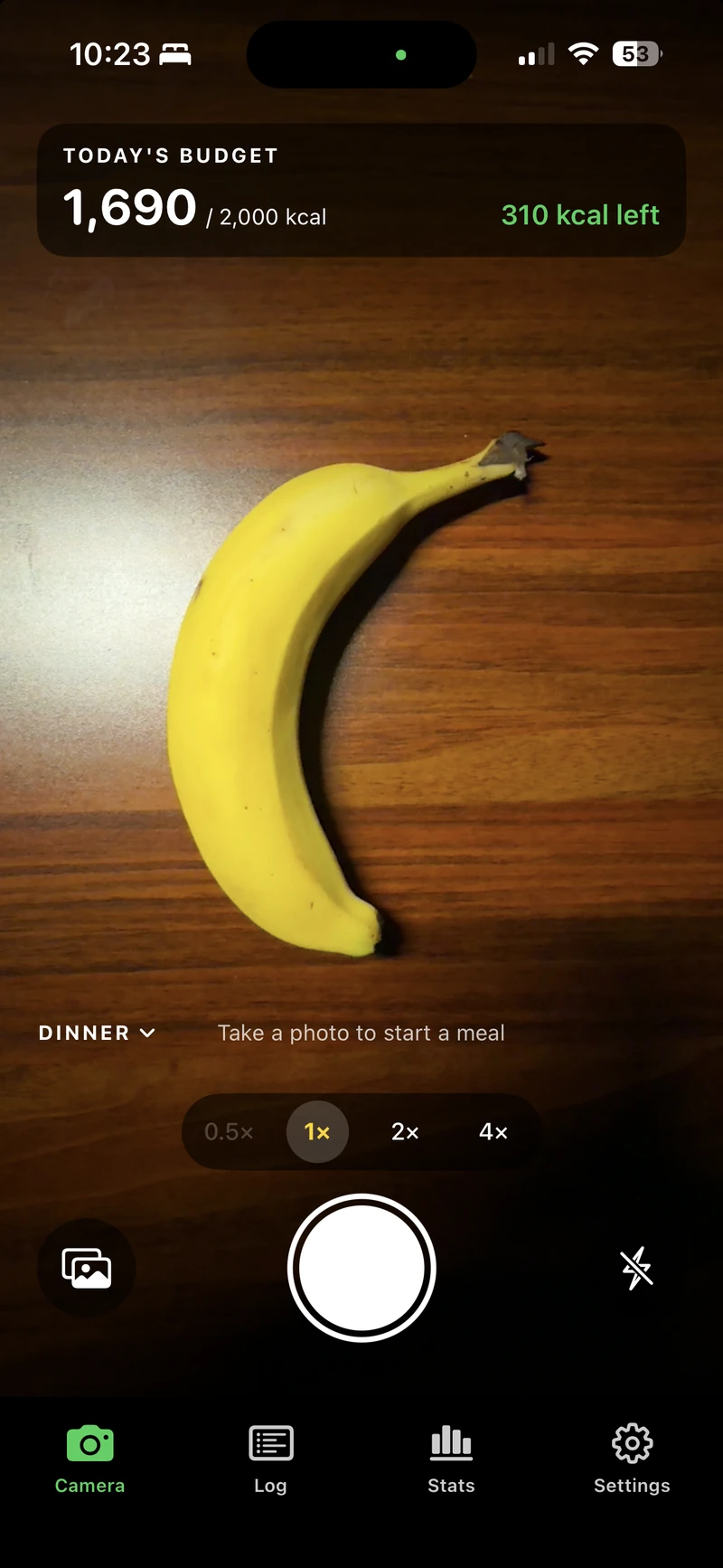
Open. Snap. Carry on.
Capture your meal. Keep track of your day.Take several photos of the same meal and HungerSnap analyzes them together. Add an angle, a menu, or a nutrition label to give it more to work with.
On-device image matching can recognize a similar past meal and reuse its nutrition without another cloud scan. Your usual lunch gets a head start.
Photos are saved right away, even without a connection. The queue processes them when allowed by your connectivity setting, with a Wi-Fi-only option.
Uncertain results wait for review. Choose your review sensitivity, adjust serving sizes, or enable automatic logging for confident meal estimates.
02 / Make it your routine
There’s more than one way to keep a food diary. Save your go-to foods for a quick tap, scan a barcode, search for a food, or simply enter the calories.
Breakfast, lunch, dinner, and snacks — organized the way you eat.
03 / See the bigger picture
Know where you are today. Understand your patterns over time. Keep the numbers useful and the routine simple.
Today’s budget
Protein
54 / 112 gCarbs
249 / 275 gFat
64 / 61 gAn example day, drawn from the app screen above.
Set calorie and macro goals. See what you’ve logged and how it adds up, without losing sight of the meals behind the numbers.
Explore your log by day, week, month, or year. Follow nutrition trends, including fiber, sugar, and sodium.
Export your food log as a CSV. Set local meal reminders and choose light, dark, or system appearance.
Your food diary is personal
Your food log and goals are stored on your device. Cloud analysis helps with new meal scans; local image matching can handle familiar ones. You choose when photos can be processed.
Read the full privacy policyA few good questions
HungerSnap is coming soon to the App Store for iPhone running iOS 18.2 or later. There isn’t a public download yet. For launch questions, email [email protected].
Photos can’t reveal every ingredient or exact portion. AI-generated nutrition is an estimate. HungerSnap lets you review foods and serving sizes and prefer visible menu or label calories. Use it for general tracking; it doesn’t provide medical advice.
Manual logging, saved foods, and your existing log work on your phone. Meal photos can queue without a connection, and a matching familiar meal may reuse local nutrition. New cloud analysis, food search, and barcode lookups need internet access.
Photos are saved on your device. New scans send the meal’s photos together to our service and cloud model providers for analysis; recent food context may be included. Our service doesn’t maintain a photo library or food-log database. Provider retention and diagnostic logging are explained in the privacy policy.
HungerSnap includes support for non-personalized ads to cover operating costs. When enabled, ads are offered after meal entry, with a skip option, at most four per day and at least an hour apart. Your meal photos, foods, calories, and profile aren’t supplied to the ad provider.

Coming soon for iPhone
Built by 425 Systems. Coming soon to iPhone.